
To bypass ATS for tech roles, build a single-column resume that mirrors the exact keywords in the job description, place them in a categorized Technical Skills section and in quantified experience bullets, then run a copy-paste parse test before you submit. Check that your contact information sits in the resume body, your job titles match standard industry naming, and your file opens cleanly as plain text. These three checks catch most parsing failures before a recruiter ever sees your file.
TL;DR:
- Using a straightforward, single-column format with standard headers ensures proper parsing and minimizes the risk of losing key information during ATS extraction.
- Placing contact details in the main body of the resume and avoiding tables, images, or graphics prevents misinterpretation by the ATS parser.
- Mirroring the exact phrasing and keywords from the job description in both the skills section and experience bullets boosts search relevance without resorting to keyword stuffing.
- Saving resumes as plain .docx files, or well-structured text-based PDFs, and conducting a copy-paste test helps catch formatting issues before submission.
- Focusing on relevant metrics and industry-standard job titles increases the chances of surface-level ranking, regardless of visual design quality.
Table of Contents
- How Modern ATS Actually Parse and Score Resumes
- Step-by-Step Formatting Rules and Quick Fixes for ATS Compatibility
- Practical Keyword Strategy for Engineers and Security Pros
- Pre-Submit Checklist: 5 Checks to Verify ATS Readability in 5 Minutes
- Recruiter-Backed Edits and Common Traps for Tech Resumes
- Why Recruiter Language Beats Design Polish
- Skip the DIY Guesswork With Pluck Talent
- Sources
- FAQ
How Modern ATS Actually Parse and Score Resumes
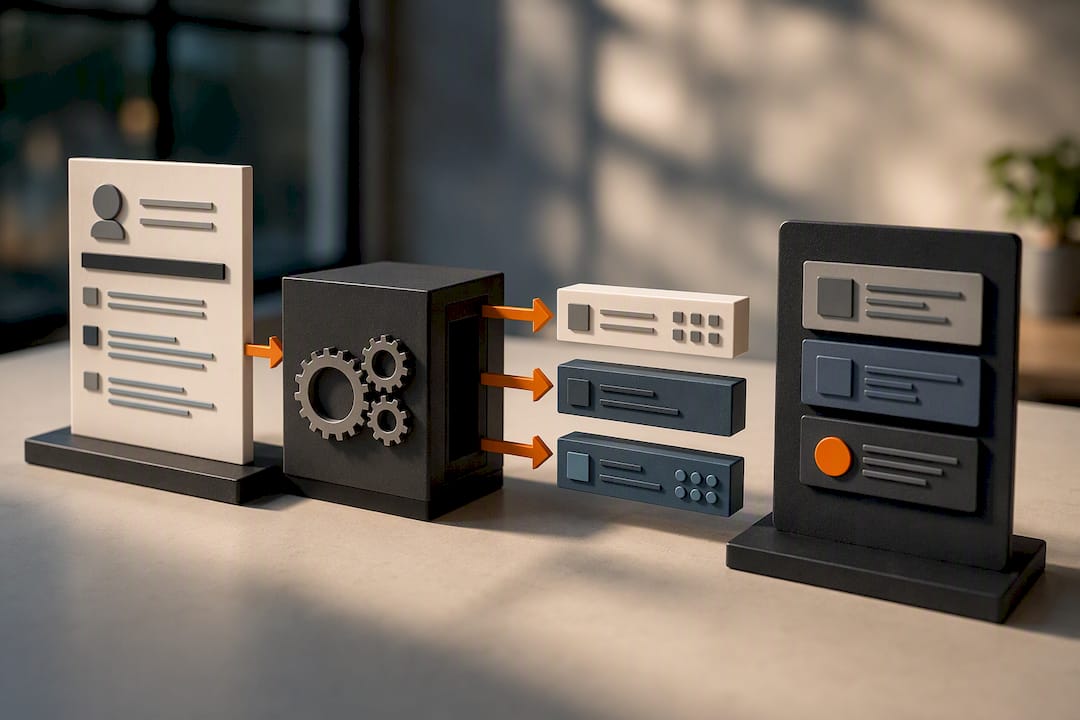
An applicant tracking system doesn't reject you the way people imagine. It reads your resume, breaks it into structured fields, and files those fields into a database a recruiter later searches. Vendor stacks like Workday and Greenhouse rely on standard headings and single-column layouts to extract your name, dates, employers, and skills accurately. Feed the parser a two-column layout or a graphic-heavy header, and fields get scrambled or dropped entirely.
Three layers determine what happens to your resume after you hit submit:
- Parsing: the system extracts raw fields from your document into structured data.
- Keyword matching: the platform flags whether specific terms from the job requisition appear in those fields.
- Semantic and recruiter search: some ATS platforms now add embedding or LLM scoring layers that weigh context, not just exact matches, according to a comparison of major ATS vendors.
Pro Tip: An ATS is a database and workflow tool, not a judge. It doesn't reject you outright. It ranks and surfaces resumes for a human, and tricks like invisible white text or keyword stuffing tend to backfire once a recruiter or the semantic layer catches the mismatch.
Once your resume is parsed and indexed, a real recruiter almost always runs the final search and review. Standard headings like "Work Experience" and "Technical Skills" matter because they tell the parser exactly where to look. Nonstandard headings such as "What I've Built" or "My Journey" might read as clever on a personal site, but they confuse field extraction and can push your dates or titles into the wrong bucket entirely.
Step-by-Step Formatting Rules and Quick Fixes for ATS Compatibility
Formatting is where most technically skilled candidates lose ground they never needed to lose. You already know how to structure clean code. Apply the same discipline here.
- Use a single-column, reverse-chronological layout. List your most recent role first, under a standard heading like "Work Experience" or "Professional Experience." Skip the sidebar skills column entirely. Two-column and sidebar-heavy resumes frequently scramble parsing results, pulling your skills list into the wrong field or losing it altogether.
- Put your contact information in the main body, not the header or footer. Many parsers skip header and footer regions completely, which means your phone number and email can vanish from the extracted record even though a human reading the PDF sees them fine.
- Strip out tables, columns, images, icons, and text boxes. Anything that isn't plain text and standard paragraph formatting risks garbling on extraction. That includes decorative bullet icons and skill-rating graphics some templates use to show proficiency levels.
- Save as a plain .docx unless the portal specifically requests a PDF. When a PDF is required, use a text-based PDF, not a scanned image or a heavily designed export from a graphic tool.
- Run the copy-paste test. Select all the text in your resume and paste it into a plain text editor like Notepad or TextEdit. If content is missing, reordered, or scrambled, the ATS will likely mis-parse it the same way.
Check your fonts while you're at it. Stick to Calibri, Arial, or Georgia at 10 to 12 point size. Decorative fonts and unusual symbols (arrows, custom bullet glyphs, emoji) can render as garbled characters or get dropped during extraction, and Indeed's own ATS guidance flags avoiding headers, tables, and graphics as a core formatting rule. For a working template built around these exact rules, Pluck Talent's ATS resume template walks through a clean structure line by line.
Practical Keyword Strategy for Engineers and Security Pros
Keyword strategy for technical roles isn't about density. It's about coverage and placement. The job description is your answer key, and it tells you almost exactly which terms the recruiter's search query will use.
Start by mirroring the job posting's exact phrasing. If the requisition says "incident response," don't write "security event handling" and expect the parser to make the connection. ATS-friendly resumes use the same terms the job posting uses, not clever synonyms.
- Place your top skills in both the Skills section and at least one experience bullet, since some ATS platforms weight terms that appear in context higher than terms that only sit in a list.
- List full names alongside common abbreviations on the same line: "Kubernetes (K8s)," "Amazon Web Services (AWS)," "JavaScript/JS." This single habit catches recruiter searches that use either form.
- Organize your Technical Skills section into labeled categories: Languages, Frameworks, Cloud, Tools. This structure improves parsing accuracy and lets a recruiter scan your stack in seconds rather than hunting through a wall of terms.
- Order categories and entries by relevance to the specific role, not by how long you've used a technology.
Pro Tip: If your internal title is nonstandard, like "Member of Technical Staff II," add the common equivalent in parentheses: "Member of Technical Staff II (Senior Software Engineer)." This satisfies title-match searches without misrepresenting your actual role.
Avoid stuffing keywords into a dense, unreadable block at the bottom of the page. That tactic reads as manipulation to both the parser's semantic layer and the recruiter skimming your file.
Pre-Submit Checklist: 5 Checks to Verify ATS Readability in 5 Minutes
Run these five checks before you submit, in this exact order:
- Copy-paste test. Paste your resume text into a plain-text editor. If sections are out of order or missing, fix the source formatting before anything else.
- Contact info location. Confirm your name, phone, email, and location live in the resume body, not the header or footer.
- File format check. Save as .docx by default. Switch to a text-based PDF only if the application portal explicitly requests one.
- Keyword overlap check. Pull the top three to five terms from the job description and verify each appears in your Skills section and in at least one experience bullet.
- Filename and upload check. Save the file as something plain like "FirstName_LastName_Resume.docx" and double-check whether the specific portal has a stated file-size or format preference before you upload.
Validation checks like these are inexpensive but catch the majority of parsing issues candidates run into. Five minutes now saves you from wondering weeks later why a role you were qualified for never generated a callback.
Recruiter-Backed Edits and Common Traps for Tech Resumes
Three edits resolve most of the parse failures Pluck Talent's recruiting team sees on technical resumes: move contact information into the body, normalize nonstandard job titles with a parenthetical equivalent, and break your skills into labeled categories instead of one long comma-separated line.
Security and infrastructure resumes have their own trap. Candidates often try to show architecture or network diagrams as images to demonstrate system design work. Skip that. Describe the architecture in text: "Designed zero-trust network segmentation across 12 VPCs using Terraform and AWS Security Groups." The parser reads text, not pixels.
- Standardized job titles beat creative ones for search matching.
- Quantified bullets do double duty: they satisfy keyword placement and survive the six-second human skim that follows parsing.
- A tight professional summary at the top, packed with role-relevant terms, gives recruiters a faster read than a paragraph of career narrative.
Why Recruiter Language Beats Design Polish
Recruiters search a parsed database using the same phrasing hiring managers put in the requisition. Better keyword placement and standardized titles directly increase how often your resume surfaces in that search. A visually striking resume that the parser mangles never even reaches that search. Prioritize metrics tied to scale, speed, and outcomes over design flourishes. Interviews follow numbers recruiters can act on, not layouts they admire.
— Diego
Skip the DIY Guesswork With Pluck Talent
Fixing your own formatting and keyword placement works, but it takes real time to test across every ATS quirk a given employer's stack might have — or you can leverage AI for developers: Docs, Code, and Onboarding | AmmarAI to streamline the process. This platform pairs recruiter-vetted resume tailoring with AI job search co-pilot technology built specifically for IT and cybersecurity professionals, to handle the parsing and keyword-matching work described above automatically.
This platform goes further than formatting fixes. It connects profiles directly with hiring managers at companies actively hiring for specific skill sets, cutting past the job board noise that swallows most applications before a human ever opens them. If you've already run the formatting checks in this article and still aren't landing interviews, that's usually a signal the gap isn't your resume. It's visibility into roles that never get posted publicly. For engineers and security professionals who want their next move handled by people who recruit in this space daily, Pluck Talent's job seeker platform is the next step worth taking.
Sources
The ResumeGeni ATS checklist covers Workday and Greenhouse parsing specifics. ResuAI's ATS parser comparison explains semantic scoring layers and the copy-paste test. Roleframe's guide backs the categorized-skills recommendation. TheProductionLine's myth-busting piece debunks keyword-stuffing tactics. Pluck Talent's recruiter-backed edits post grounds the EEAT section.
- Resume ATS Optimization: Separating Myths From What Actually Works | TheProductionLine
- How Modern ATS Parsers Actually Work (Workday, Greenhouse, Lever, Taleo Compared) | ResuAI
FAQ
What Does It Mean to Bypass ATS Filters?
Bypassing ATS filters means formatting and writing your resume so the parser extracts your information accurately and the recruiter's keyword search surfaces your profile, not tricking or gaming the system.
Does Using a PDF Hurt My Chances With ATS?
A text-based PDF usually parses fine, but a plain .docx is the safer default unless the application portal specifically requests a PDF; scanned or image-based PDFs consistently parse poorly.
How Many Keywords Should I Include From the Job Description?
Focus on the top three to five terms that appear most prominently in the job description, and place each one in both your Skills section and at least one quantified experience bullet rather than repeating dozens of terms.
Can Recruiters See My Resume Even if It's Not a Perfect Match?
Yes. Recruiters run their own searches against the parsed database, and standardized titles and strong keyword placement increase how often your resume surfaces in those searches, even without a perfect keyword match.
Should I List Acronyms or Full Names on My Resume?
List both on the same line, such as "Kubernetes (K8s)" or "Amazon Web Services (AWS)," since recruiters and parsers search using either form depending on how the job posting is written.