
The most effective resume ideas combine measurable impact bullets, ATS-safe structure, and a concise professional summary placed at the top of the page. As of 2026, recruiters spend about 7 seconds scanning a resume before deciding whether to read further, which means the top third of the page carries most of the weight. ATS systems reject a significant share of resumes before a human ever sees them, making keyword alignment and clean formatting non-negotiable.
Start here: Replace your top bullet point with one XYZ achievement statement right now. The format is: Accomplished [X] as measured by [Y] by doing [Z].
Three things to fix before anything else:
- Summary: Write 2–3 sentences that state your title, years of experience, and one measurable result.
- Top three bullets: Convert duty statements into quantified achievements using the XYZ formula.
- Skills block: List hard skills as plain text, grouped by category, matching the job description's exact wording.
Table of Contents
- Resume ideas by industry and experience level
- Which resume format fits your situation?
- How to write every section of your resume
- Power verbs and 50+ sample bullets you can adapt
- ATS and tailoring best practices
- Design choices that pass ATS and still look professional
- What recruiters check in the first 7–10 seconds
- One page or two pages: what to cut
- Before-and-after resume comparisons
- How to add measurable achievements when you do not have obvious numbers
- LinkedIn profiles and portfolio links on your resume
- Key Takeaways
- Why clarity beats creativity in most hiring pipelines
- Plucktalent helps IT and cybersecurity professionals get past the ATS
- Useful sources
- FAQ
Resume ideas by industry and experience level
The fastest way to improve a resume is to read examples from your own field and career stage. The samples below are organized by industry and level. Each bullet follows the XYZ formula, so you can swap in your own numbers.
Tech (software, IT, cybersecurity)
Entry-level (one page; include projects and coursework)
- Developed a [Python/Java/other] web application that reduced manual data entry by [X]% as part of a [course/capstone] project.
- Resolved [X] help desk tickets per week with a [Y]% first-call resolution rate during a [semester/internship].
Mid-level (one page; drop coursework, lead with impact)
- Migrated [X] on-premises servers to AWS, cutting infrastructure costs by [$Y] annually.
- Reduced mean time to detect security incidents from [X] hours to [Y] hours by deploying a SIEM solution. For smart IT job applications, leading with this kind of metric is the standard.
Senior (one to two pages; lead with scope and business impact)
- Led a [X]-person engineering team that delivered a [product/platform] serving [Y] million users with [Z]% uptime.
- Defined cybersecurity roadmap for a [$X]M organization, reducing critical vulnerabilities by [Y]% in 12 months.
Marketing and content
Entry-level
- Grew Instagram following from [X] to [Y] in [Z] months by publishing [frequency] short-form video content.
- Wrote [X] blog posts per month that averaged [Y] organic sessions within 90 days of publication.
Mid-level
- Managed [$X] paid search budget, achieving a [Y]% reduction in cost per lead over [Z] quarters.
- Increased email open rate from [X]% to [Y]% by rewriting subject lines and segmenting the list by behavior.
Senior
- Built and led a [X]-person content team that grew organic traffic by [Y]% year over year.
- Launched a demand generation program that contributed [$X]M in pipeline within the first [Y] months.
Healthcare
Entry-level
- Assisted [X] patients per shift with daily living activities, maintaining a [Y]% patient satisfaction score.
- Documented [X] patient records per day in [EHR system], achieving [Y]% accuracy on quarterly audits.
Mid-level
- Coordinated care for a panel of [X] patients, reducing 30-day readmission rate by [Y]%.
- Trained [X] new clinical staff on [procedure/system], cutting onboarding time by [Y] days.
Senior
- Oversaw a [X]-bed unit with [Y] direct reports, maintaining Joint Commission compliance across [Z] consecutive surveys.
Admin and customer service
Entry-level
- Handled [X] inbound customer contacts per day with a [Y]% satisfaction rating on post-interaction surveys.
- Processed [X] purchase orders per week with [Y]% accuracy, supporting a [$Z]M procurement budget.
Mid-level
- Reduced average handle time from [X] minutes to [Y] minutes by redesigning the call script and FAQ database.
- Managed scheduling for [X] executives across [Y] time zones, eliminating [Z]% of scheduling conflicts.
Senior
- Directed a [X]-person administrative team supporting [Y] departments, achieving [Z]% on-time project delivery.
Sales and business operations
Entry-level
- Exceeded quota by [X]% in first [Y] months by cold-calling [Z] prospects per day and qualifying leads with BANT.
- Maintained a CRM database of [X] accounts with [Y]% data accuracy, supporting a [Z]-person sales team.
Mid-level
- Closed [$X]M in new business annually, ranking [Y] of [Z] on a [region/national] sales team.
- Reduced sales cycle from [X] days to [Y] days by introducing a structured discovery call framework.
Senior
- Built a [X]-person sales organization from the ground up, growing revenue from [$X]M to [$Y]M in [Z] years.
Page count and format by career level
| Career level | Recommended pages | Format |
|---|---|---|
| Entry-level (0–2 years) | 1 | Chronological or hybrid |
| Mid-level (3+ years) | 1 | Chronological or hybrid |
| Senior (10+ years) | 1–2 | Chronological or hybrid |
| Career changer | 1 | Hybrid or functional |
| Executive | 2 | Chronological |
A two-page resume is acceptable for experienced professionals when every line is directly relevant to the role.
Which resume format fits your situation?
Four formats cover nearly every job search scenario. Choosing the wrong one is one of the most common resume mistakes.
Chronological lists experience in reverse date order. It is the default for most job seekers and the safest choice for ATS parsing. Use it when your work history is continuous and directly relevant to the target role.
Hybrid (combination) opens with a skills or achievements summary, then lists experience chronologically. It works well for mid-career professionals who want to lead with impact before the timeline. This is the most versatile format for tech and cybersecurity roles.
Functional groups experience by skill category rather than employer. ATS systems often struggle to parse it, and many recruiters distrust it because it obscures dates. Reserve it only for significant career changes where skills transfer is the main story, and even then, consider the hybrid instead.
Creative uses visual hierarchy, accent colors, or typographic treatments to stand out. Creative templates can be ATS-safe when they preserve single-column reading order, use standard fonts, and limit embellishments to one accent color.
Quick template skeletons
- Chronological: Contact info → Summary (3 sentences) → Experience (reverse order, 3–5 bullets each) → Skills → Education → Certifications
- Hybrid: Contact info → Summary → Key skills block (8–12 terms) → Experience (reverse order) → Education → Certifications
- Functional: Contact info → Summary → Skill categories with bullets → Work history (title, company, dates only) → Education
- Creative: Same section order as chronological or hybrid; add one accent color bar under the name, typographic hierarchy, and a portfolio link in the header
Format-choose checklist:
- Continuous relevant work history → chronological
- Strong skills but patchy timeline → hybrid
- Major career change or re-entry → hybrid or functional (avoid functional if ATS is likely)
Pro Tip: Never use the functional format for tech or cybersecurity roles. Hiring managers in those fields expect a clear timeline, and ATS systems at large employers frequently fail to extract dates from functional layouts.
How to write every section of your resume
A resume has seven standard sections. Each one has a specific job.
Header
Include: full name, city and state (no street address), phone number, professional email, LinkedIn URL, and a portfolio or GitHub link if relevant. Keep the file name professional: FirstName-LastName-Resume.pdf. Avoid embedding contact details in a header text box, which many ATS systems cannot read.
Five must-have resume elements are contact information, a clear summary or objective, relevant work experience with achievements, education, and skills. The header covers the first.
Professional summary vs. objective
A summary is for candidates with relevant experience. Keep it to 2–3 sentences. State your title, years of experience, and one measurable result.
Template: "[Title] with [X] years of experience in [specialty]. Delivered [key achievement]. Skilled in [top 2–3 skills relevant to the role]."
An objective is for entry-level candidates or career changers. It states what you bring and what you are seeking.
Template: "Recent [degree] graduate with hands-on experience in [relevant area] seeking a [target role] where I can apply [specific skill] to [specific outcome]."
Concise summaries that state years of experience, top skills, and a key achievement outperform generic objectives. Match the job title wording exactly to improve ATS ranking.
Experience entries
Structure each entry: Job Title | Company Name | City, State | Month Year – Month Year. Follow with 3–5 achievement bullets. Use past tense for previous roles, present tense for your current one. Lead every bullet with a strong action verb.

Skills and certifications
List hard skills as plain text in a categorized block. Example: Expert: Python, AWS, Terraform | Proficient: Azure, Docker, Kubernetes. Graphical skill bars are unreadable by many ATS systems; plain text is both parseable and easy to scan. Place certifications in a separate section with the certification name, issuing body, and year.
Employment gaps and career changes
State the gap briefly and honestly in a cover letter. On the resume, use a hybrid format to lead with skills, and consider adding a one-line note in the experience entry (e.g., "Career break for family caregiving, 2023–2024") to remove ambiguity.
Pro Tip: For career changers, add a "Relevant Projects" section directly below the summary. List two or three projects that demonstrate the skills the new role requires, even if they were personal or volunteer work.
Power verbs and 50+ sample bullets you can adapt
Strong bullets start with a verb that signals the type of outcome. Group your verbs by the result they describe.
Growth and revenue: Grew, Increased, Generated, Expanded, Launched, Accelerated, Captured

Efficiency and process: Reduced, Automated, Streamlined, Consolidated, Eliminated, Redesigned, Accelerated
Leadership and collaboration: Led, Directed, Managed, Mentored, Coached, Coordinated, Aligned
Cost savings: Cut, Reduced, Negotiated, Renegotiated, Eliminated, Consolidated
Customer and user impact: Improved, Resolved, Retained, Recovered, Increased, Delivered
Sample bullets by industry (fill in the brackets)
Tech / IT / Cybersecurity
- Automated [X] manual deployment steps using [tool], reducing release time by [Y]%.
- Identified and remediated [X] critical vulnerabilities in [Y]-day sprint, achieving [Z] compliance standard.
- Architected a [cloud/hybrid] infrastructure supporting [X] concurrent users with [Y]% availability.
- Reduced incident response time from [X] hours to [Y] minutes by building a [SOAR/SIEM] playbook.
- Delivered [X] sprints on schedule across [Y] quarters, maintaining a [Z]% defect escape rate.
Marketing / Content
- Produced [X] pieces of long-form content per month that drove [Y]% of total organic leads.
- A/B tested [X] landing page variants, lifting conversion rate from [Y]% to [Z]%.
- Negotiated [X] influencer partnerships at [$Y] average cost, generating [Z]M impressions.
Healthcare
- Reduced medication error rate by [X]% by implementing a double-check protocol across [Y] units.
- Onboarded [X] new patients per month, maintaining [Y]% schedule adherence.
- Collaborated with [X]-specialty care team to cut average length of stay by [Y] days.
Admin / Customer Service
- Resolved [X]% of customer escalations at first contact, reducing supervisor transfers by [Y]%.
- Built a knowledge base of [X] articles that cut average handle time by [Y] minutes.
- Coordinated [X] cross-departmental projects simultaneously with [Y]% on-time delivery.
Sales / Business Ops
- Prospected [X] accounts per week, converting [Y]% to qualified opportunities.
- Negotiated [X] enterprise contracts averaging [$Y] in annual recurring revenue.
- Reduced churn by [X]% by implementing a quarterly business review cadence for [Y] accounts.
Conversion tip: Take any duty statement ("Responsible for managing social media accounts") and ask three questions: What changed? By how much? How did you do it? The answers become your XYZ bullet.
ATS and tailoring best practices
Practical formatting traps that break ATS parsing include tables, text boxes, image-embedded text, nonstandard headings, and unusual file types. Avoiding these dramatically improves how much of your resume an ATS actually reads.
ATS-safe formatting rules
- Use a single-column layout with standard section headings: "Work Experience," "Education," "Skills," "Certifications."
- Submit as a .docx or .pdf file unless the job posting specifies otherwise. When in doubt, .docx parses more reliably.
- Avoid headers and footers for contact information. Place all details in the main body.
- Do not use tables, text boxes, or columns for any content you want the ATS to read.
- You can reorder sections (for example, lead with "Technical Proficiencies" before "Work Experience") as long as the heading labels are standard and recognizable.
Tailoring workflow
- Copy the job description into a text document.
- Highlight every skill, tool, and title that appears more than once.
- Check your resume for those exact terms. Add any that are missing and accurate.
- Match your job title in the summary to the title in the posting (e.g., if the posting says "Senior Security Engineer," use that phrase, not "Senior Cybersecurity Specialist").
- Move the most relevant bullets to the top of each experience entry.
Exact matching of job titles and keywords from the job description increases ATS ranking when hiring managers search by title. This is one of the highest-leverage changes a job seeker can make in under 10 minutes.
Pre-submission checklist
- File name:
FirstName-LastName-Resume.pdf - File type: .docx or .pdf
- Section headings: standard labels only
- Keywords: at least three to five from the job description appear in the top half of the resume
- No tables, text boxes, or graphics in the main content area
For a deeper look at AI-assisted keyword checks, several tools can compare your resume text against a job description and flag gaps before you apply.
Stat: A significant share of resumes are rejected by ATS before a human reviewer sees them. Tailoring and clean formatting are the two variables entirely within your control.
Design choices that pass ATS and still look professional
Visual resumes have a specific use case. Designers should prefer a portfolio link and a two-document approach to avoid ATS rejection while still demonstrating craft. For everyone else, a few safe design choices make a resume easier to scan without creating parsing problems.
Safe visual choices
- One accent color: A single color used for your name, section headings, or a thin rule under the header. Navy, dark teal, and charcoal are safe. Avoid light colors that reduce contrast.
- Single-column layout: Preserves the reading order ATS systems expect. Two-column layouts frequently cause ATS to read across columns rather than down, scrambling the content.
- Font-size hierarchy: Name at 16–18pt, section headings at 12–14pt bold, body text at 10–11pt. Margins of 0.5–1 inch on all sides.
The two-resume strategy
Creative resume ideas that pass ATS and a visually rich portfolio file serve different audiences. Build one plain, ATS-optimized .docx for job portals. Build a second, visually branded PDF for networking events, direct outreach, and in-person interviews. The ATS version gets you through the filter; the branded version makes the impression.
Pro Tip: In your ATS resume header, include a hyperlinked URL to your portfolio or LinkedIn profile as plain text (e.g., linkedin.com/in/yourname). Many ATS systems strip hyperlink formatting, so the URL itself must be readable as text.
What recruiters check in the first 7–10 seconds
Recruiters spend roughly 7 seconds on an initial scan. A related practitioner concept, the 10-second resume rule, describes the same hiring-market reality: the top of the page either earns a full read or ends the review. Here is what to fix before you submit.
10-point pre-submission checklist
- Summary: 2–3 sentences, title + years + one result
- Top three bullets: Quantified achievements, not duty statements
- Skills block: Plain text, keyword-matched to the job description
- Section headings: Standard labels ("Work Experience," not "Where I've Been")
- File type: .docx or .pdf
- File name: FirstName-LastName-Resume.pdf
- Contact details: In the body, not a header/footer text box
- Older roles: Remove or condense positions older than 10–15 years that are not relevant
- Quantified results: At least one number in every experience entry
- Proofread: Zero typos, consistent date format, no orphaned bullet points
Red flags that stop a review
Common resume red flags employers notice include unexplained employment gaps, vague responsibilities with no measurable outcomes, inconsistent dates, and typos. Odd fonts and heavy graphics also signal a lack of professional judgment. Avoid common job search time wasters like applying with an untailored resume, which compounds the risk of ATS rejection and a quick human dismissal.
One page or two pages: what to cut
The one-page rule applies to most candidates with fewer than 10 years of experience. One page forces prioritization, which is itself a signal of professional judgment. For senior professionals with a decade or more of directly relevant experience, two pages are acceptable, provided every line earns its place.
What to cut first:
- Objective statements (replace with a summary)
- High school education once you have a college degree
- Jobs older than 10–15 years that are not relevant to the target role
- Soft skills listed as standalone items ("team player," "hard worker")
- References or the phrase "References available upon request"
- Personal details: photo, age, marital status, or home address
A useful test: read each bullet and ask whether a hiring manager for this specific role would care. If the answer is no, cut it. Tighter resumes get read more completely.
Before-and-after resume comparisons
The difference between a weak and a strong resume is usually not the experience. It is the language.
Before (duty statement): Responsible for managing the company's social media accounts and creating content.
After (XYZ achievement): Grew LinkedIn following from 2,400 to 11,000 in 8 months by publishing three original posts per week, increasing inbound lead inquiries by 34%.
Before (vague tech bullet): Worked on cloud migration project.
After (quantified impact): Migrated 47 on-premises servers to AWS over 6 months, reducing infrastructure spend by $180,000 annually and achieving 99.97% uptime post-migration.
Before (generic admin bullet): Handled customer complaints and resolved issues.
After (measurable outcome): Resolved 94% of customer escalations at first contact, reducing supervisor transfers by 41% and improving CSAT score from 3.6 to 4.4 out of 5.
The pattern is consistent: name the action, attach a number, and state the method or context. Three pieces of information per bullet, every time.
How to add measurable achievements when you do not have obvious numbers
Not every role comes with a dashboard. That does not mean you cannot quantify results.
Estimate from memory. How many customers did you serve per day? How many tickets did you close per week? How large was the budget you managed? Reasonable estimates, stated as approximations ("approximately 80 calls per day"), are acceptable and far stronger than no number at all.
Use percentages for change. If a process took two hours before you changed it and one hour after, that is a 50% reduction. You do not need a formal study to state that.
Use scale as a proxy. Team size, project budget, number of locations, and user count all communicate scope even when direct outcome metrics are unavailable. "Supported a 200-person organization" tells a recruiter more than "provided IT support."
Ask your manager or check your reviews. Performance reviews often contain the numbers you forgot. Customer satisfaction scores, quota attainment percentages, and error rates are frequently documented somewhere. Check before you estimate.
LinkedIn profiles and portfolio links on your resume
A LinkedIn profile URL belongs in the header of every resume. Customize the URL (linkedin.com/in/yourname) so it looks clean and professional rather than a string of random characters. The profile itself should match the resume in job titles, dates, and key achievements. Inconsistencies between the two are a red flag for recruiters who cross-reference both.
For portfolios, GitHub repositories, or personal sites, include the URL as plain text in the header. In a digital PDF sent directly to a hiring manager, make it a clickable hyperlink. In an ATS submission, keep it as plain readable text because many systems strip hyperlink formatting.
A portfolio link is particularly valuable for tech, design, marketing, and content roles. For IT and cybersecurity professionals, a GitHub profile showing active repositories, contributions, or write-ups on security research carries more weight than a list of tools on a resume. Treat the portfolio link as a second resume, one that shows rather than tells.
Key Takeaways
The most effective resume combines a quantified summary, ATS-safe formatting, and bullets that state measurable outcomes, not duties.
| Point | Details |
|---|---|
| Lead with measurable impact | Replace duty statements with XYZ bullets: Accomplished X as measured by Y by doing Z. |
| ATS formatting is non-negotiable | Single-column layout, standard headings, and .docx or .pdf files prevent parsing failures. |
| Tailor every application | Match the job title and top keywords from the posting; this directly improves ATS ranking. |
| Use a two-resume strategy | Keep an ATS-optimized text version for portals and a branded PDF for direct outreach. |
| Plucktalent for IT and cybersecurity | Plucktalent's AI-powered platform provides ATS-ready profile optimization and direct access to hiring managers for tech professionals. |
Why clarity beats creativity in most hiring pipelines
Most resume advice focuses on standing out. The more useful question is whether the resume survives the process long enough for a human to read it.
The resumes that consistently move forward share two traits: they are easy to parse, and they make the value of the candidate immediately obvious. A recruiter scanning 80 resumes in an afternoon is not looking for the most creative layout. They are looking for the fastest confirmation that the candidate can do the job.
The common mistake is treating the resume as a comprehensive record of everything a candidate has done. It is not. It is a short argument for why this candidate fits this role. Every line that does not support that argument weakens it.
Quantified bullets matter not because numbers are impressive in the abstract, but because they give a recruiter something concrete to hold onto during a 7-second scan. A bullet that says "reduced deployment time by 60%" is a complete thought. A bullet that says "responsible for deployments" is not.
The same logic applies to format. A single-column, standard-heading layout is not a creative limitation. It is a technical requirement for the systems that control whether a resume reaches a human at all. Creativity belongs in the portfolio link, not the file structure.
Plucktalent helps IT and cybersecurity professionals get past the ATS
IT and cybersecurity job seekers face a specific version of the resume problem. The roles are highly specialized, the keyword requirements are precise, and the hiring pipelines at large tech and security firms are heavily automated. A generic resume, even a well-written one, rarely survives that filter.
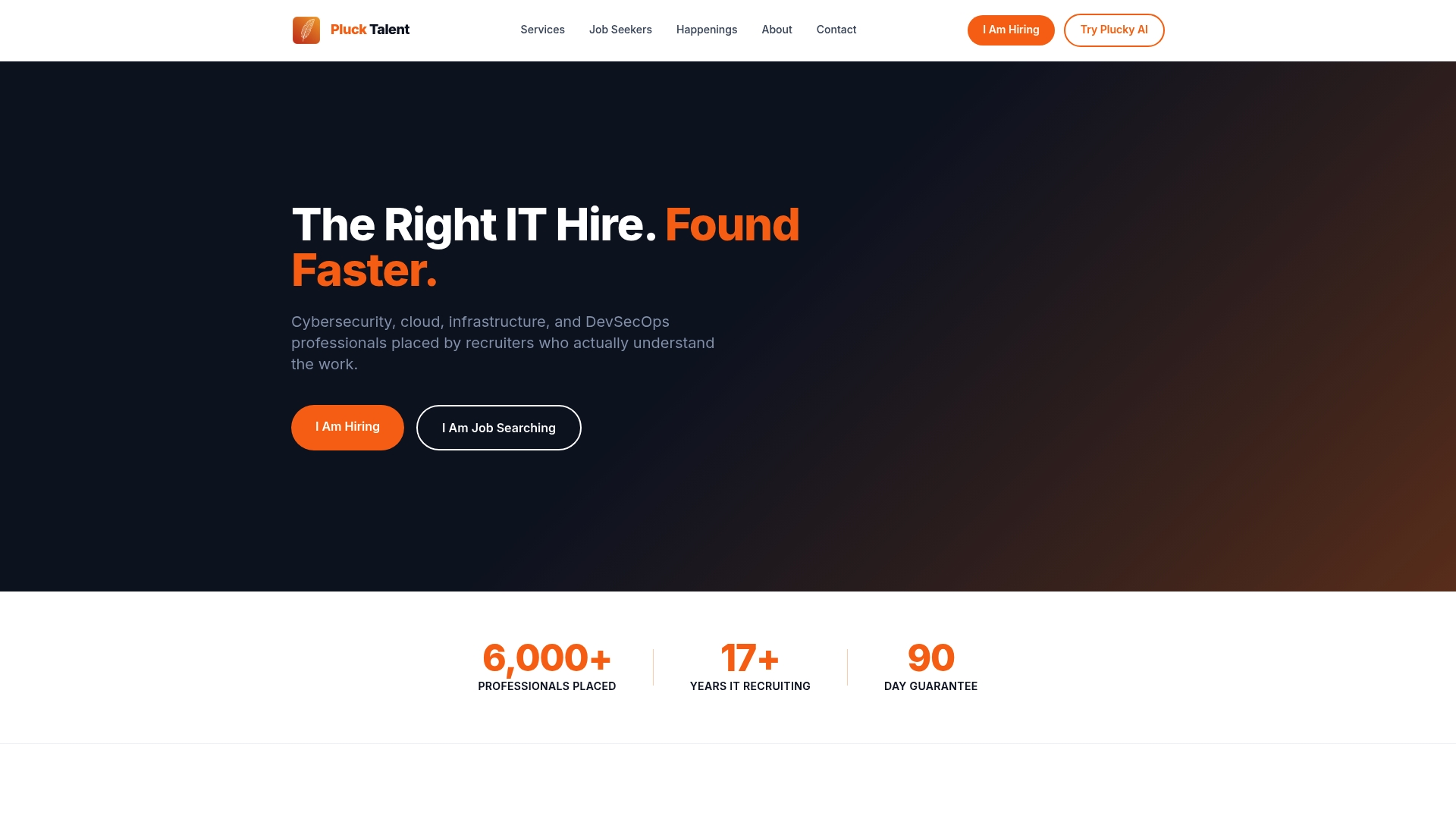
Plucktalent combines 17 years of IT recruiting expertise with Plucky AI, a job search co-pilot that optimizes profiles for ATS parsing and connects candidates directly with hiring managers. The platform is built for the specific demands of tech and cybersecurity hiring, not general job search.
- ATS-ready profiles: Resume content is optimized for the exact keyword and title patterns used by hiring managers in IT and cybersecurity.
- Direct hiring manager access: Candidates reach decision-makers at companies actively hiring, bypassing the job board queue.
- Recruiter-vetted placements: Every match is backed by recruiting expertise, not just algorithm output.
For IT professionals who want their resume to reach a human reviewer, visit the Plucktalent job-seekers page to see how the platform works.
Useful sources
The following sources were used for claims in this article and are worth bookmarking for templates, ATS research, and design guidance.
For ATS research and tailoring guidance:
- How to Make Your Resume Stand Out in 2026 — Jobscan — covers scan time, ATS formatting rules, and tailoring workflow
- Resume Examples 2026: 50+ Proven Samples — StylingCV — ATS rejection rates and format guidance
- What To Include on a Resume — Indeed — section-by-section guidance and summary templates
For templates and sample resumes:
- Sample Resumes — UC Berkeley Career Engagement — undergraduate, graduate, technical, and leadership resume templates
- Harvard College Guide to Creating a Strong Resume — widely cited format and content guidance
- Resumes — UC Davis Career Center — practical resume resources and samples
- Resume Resources — University of Michigan Career Center — format guides and action verb lists
For design and creative resume guidance:
- Creative Resume Template — ATS-Friendly — VitaeKit — example of a safe creative template
- Creative Resume Ideas That Still Pass ATS — ResumeSnap — two-resume strategy and safe design choices
- Visual vs. Traditional Resumes for Designers — Acedit.ai — dual-document strategy for design roles
- Developing a Creative Résumé — Drexel SCDC — tips for creative resume development
For red flags and recruiter behavior:
- Resume Red Flags — Wayne State HR — documented list of employer red flags
- The 10-Second Resume Rule — LinkedIn — practitioner commentary on scan behavior
Plucktalent resources:
- What Is a Smart Job Application for IT Pros?
- AI Tools for Tech Job Seekers: 2026 Career Guide
- Job Search Time Wasters to Avoid in 2026
FAQ
What should a good resume include?
Every resume needs five core elements: contact information, a professional summary or objective, relevant work experience with achievement bullets, education, and a skills section. Certifications and a portfolio link are strong additions for tech and specialized roles.
What are the biggest red flags on a resume?
Common red flags include unexplained employment gaps, vague duty statements with no measurable outcomes, inconsistent dates, and typos. Odd fonts and heavy graphics also raise concerns about professional judgment.
What is the 7-second (or 10-second) resume rule?
Recruiters spend about 7 seconds on an initial scan, a reality also described as the 10-second rule in practitioner circles. The top third of the page, specifically the summary and first two or three bullets, must immediately confirm the candidate fits the role.
Should a resume be one page or two pages?
One page is the standard for candidates with fewer than 10 years of experience. A two-page resume is acceptable for senior professionals when every line is directly relevant to the target role. Cut anything that does not support the case for this specific job.
How does Plucktalent help with resume optimization?
Plucktalent's platform uses AI-powered profile optimization built specifically for IT and cybersecurity professionals, aligning resume content with the keyword and title patterns hiring managers in those fields actually search for. The platform also provides direct access to hiring managers at companies actively filling roles.