
An IT support specialist provides frontline technical assistance for computer systems, software, and hardware, working either inside an organization or externally to support end users. The U.S. Bureau of Labor Statistics reports a median annual wage for computer user support specialists, with the role serving as a recognized entry point into broader IT careers.
This role may be a fit if:
- Troubleshooting technical problems is something you find satisfying rather than frustrating
- You communicate clearly with non-technical users and stay patient under pressure
- You are willing to pursue certifications such as CompTIA A+ or the Cisco Certified Support Technician (CCST)
Key Takeaways
An IT support specialist role is accessible without a four-year degree, pays a competitive median wage per BLS data, and serves as a direct entry point into networking, cybersecurity, and systems administration.
| Point | Details |
|---|---|
| Entry requirements are flexible | Many user support roles accept a high school diploma plus CompTIA A+ or CCST certification. |
| BLS projects a small employment decline | The 2024–2034 outlook shows modest contraction, but turnover keeps entry-level hiring active. |
| Documentation habits drive promotion | Specialists who write reproducible fixes and contribute to a knowledge base advance faster. |
| AI is reshaping routine work | AI-assisted ticketing handles repetitive tasks; complex diagnostics remain human work. |
| Plucktalent accelerates the job search | The platform connects IT support candidates directly to hiring managers, bypassing job board queues. |
Table of Contents
- What does an IT support specialist do day to day?
- How do work environments differ across IT support roles?
- How to become an IT support specialist in the U.S.
- What skills and tools do employers expect?
- What is the salary and job outlook for IT support in the U.S.?
- What career paths open up after IT support?
- How do you build a resume and portfolio for an IT support job?
- How is AI changing the IT support specialist role?
- What do recruiters actually look for in an IT support hire?
- Plucktalent connects IT support candidates directly with hiring managers
- Sources
- FAQ
What does an IT support specialist do day to day?
CompTIA describes the core function as diagnosing and resolving hardware and software issues, configuring devices, and documenting fixes. O*NET's occupational data expands that picture with standardized duty descriptors across the full range of user support roles.
Daily responsibilities typically include:
- Ticket triage: Reviewing incoming requests, assigning priority, and routing issues to the right queue
- Hardware troubleshooting: Diagnosing failed drives, connectivity issues, printer problems, and peripheral failures
- Software support: Installing, configuring, and troubleshooting operating systems and business applications
- Account management: Resetting passwords, managing Active Directory accounts, and handling access requests
- Device setup: Imaging laptops, configuring mobile devices, and deploying workstations
- Documentation: Logging resolution steps in a ticketing system and updating the knowledge base
A realistic sample day
A morning typically starts with reviewing the overnight ticket queue, flagging anything urgent, and handling quick wins like password resets before the office fills up. Mid-day brings more complex diagnostics, escalations to senior staff, and sometimes a device deployment or a software rollout. The last hour usually goes to closing tickets, updating documentation, and prepping handoff notes for the next shift.
Common job titles in this space
O*NET lists several alternate titles that map to similar duties: Help Desk Analyst, Desktop Support Technician, Technical Support Specialist, Computer Support Specialist, and End-User Support Technician. The title varies by employer; the core work is largely the same.
How do work environments differ across IT support roles?
The day-to-day experience of a computer support specialist changes significantly depending on where and how the role is structured.
Help desk support is phone, email, and chat-based. Specialists handle high ticket volumes remotely, rarely touching hardware directly. The pace is fast, the interactions are frequent, and the work is heavily process-driven. This environment suits people who communicate well and can follow structured troubleshooting scripts without losing patience.
Desktop support is on-site and hands-on. Technicians walk the floor, swap hardware, image machines, and sit with users to resolve issues in person. The variety is higher than a pure help desk role, and the physical component is real.
Field support takes technicians off-site to client locations. Travel is regular, problems are less predictable, and self-sufficiency matters more. Managed service providers (MSPs) often run field teams that serve multiple client accounts simultaneously.
Internal vs. outsourced roles carry different exposure levels. Wikipedia's help desk overview notes that large enterprises tend to compartmentalize tasks, meaning new hires may spend extended periods on repetitive queues like password resets or hardware imaging. MSPs and small companies typically give broader hands-on exposure across systems, which accelerates skill development.
| Role type | Setting | Ticket volume | Hands-on hardware | Best for |
|---|---|---|---|---|
| Help desk support | Remote / office | High | Minimal | Strong communicators, process-oriented |
| Desktop support | On-site | Medium | Frequent | Hands-on learners, varied-task preference |
| Field support | Client sites | Variable | High | Independent workers, comfortable traveling |
| MSP / outsourced | Multi-client | High | Mixed | Fast learners wanting broad exposure |
Schedule realities: Shift work and on-call rotations are common in enterprise environments and MSPs. Remote and hybrid arrangements exist, particularly for help desk roles, though entry-level positions more often require on-site presence initially.
How to become an IT support specialist in the U.S.
Coursera's career overview frames IT support as the premier entry point into tech because the role exposes specialists to an organization's full digital stack. The path to a first job is more accessible than most tech careers, and a four-year degree is not required.
-
Establish a baseline education. Many computer user support roles accept a high school diploma plus certifications, per BLS data. An associate's degree in IT or a related field strengthens applications for network support roles, which typically favor more formal education.
-
Build foundational knowledge through self-study. Free resources from the Cisco Networking Academy cover networking fundamentals and operating system basics. Platforms like Professor Messer's free CompTIA A+ study materials are widely used for structured self-prep.
-
Earn CompTIA A+. This is the most recognized entry-level certification for IT support roles. It validates hardware, software, networking, and troubleshooting competency. Many job listings list it as a requirement, not just a preference.
-
Consider the Cisco Certified Support Technician (CCST). The CCST Networking credential is a newer, entry-level Cisco certification that validates basic networking knowledge. It pairs well with CompTIA A+ for candidates targeting network-adjacent support roles.
-
Add optional credentials where relevant. Microsoft's MD-102 (Endpoint Administrator) and Apple's ACMT certification are valued in environments running those ecosystems. CareerOneStop's certification finder indexes additional employer-valued credentials by occupation.
-
Build hands-on experience. Set up a home lab using free virtualization tools like VirtualBox. Volunteer to handle IT for a local nonprofit or small business. Temp and contract roles through staffing firms are a direct path to paid experience without a full-time offer.
-
Apply strategically and follow up. Target job listings that match your certifications. Apply to temp and contract postings, which have lower competition and convert to full-time roles regularly.
Realistic timeline: Most candidates with no prior IT experience reach an entry-level role within 3–6 months of focused study and certification prep, assuming they pursue CompTIA A+ as the first credential and supplement with a home lab or volunteer work.
Pro Tip: When you fix a computer for a neighbor, a church, or a local nonprofit, document it. Write down the symptom, what you tried, what worked, and how long it took. That log becomes a portfolio entry. Hiring managers care about evidence of process, not just outcomes.
What skills and tools do employers expect?
Job listings for IT support technician roles cluster around a consistent set of technical and interpersonal requirements. Understanding which items are listed as required versus preferred helps candidates prioritize.
Technical skills employers list most often:
- OS troubleshooting across Windows 10/11 and macOS; Linux basics are a growing preference
- Networking fundamentals: IP addressing, DNS, DHCP, Wi-Fi troubleshooting, and basic switch/router concepts
- Active Directory and Microsoft 365 administration at the user level
- Printer, peripheral, and hardware diagnosis
- Remote support tools (screen sharing, remote desktop protocols)
- Ticketing system familiarity (ServiceNow, Jira Service Management, Zendesk, or Freshdesk)
- Endpoint imaging and deployment tools
- Mobile device management (MDM) basics
Soft skills that appear in nearly every listing:
- Clear written and verbal communication with non-technical users
- Patience and de-escalation under pressure
- Accurate, timely documentation
- Prioritization across multiple open tickets
- Willingness to escalate appropriately rather than hold issues too long
A pattern worth noting: job listings often conflate required and preferred certifications. Matching one required cert and showing practical examples for preferred items is enough to win an interview in most cases.
What is the salary and job outlook for IT support in the U.S.?
The BLS Occupational Outlook Handbook is the primary source for U.S. pay and employment data on this occupation. The figures below reflect BLS reporting for computer support specialists.
Pay by experience level (approximate ranges):
- Entry-level (0–2 years): $38,000–$50,000 annually
- Mid-level (3–5 years, with certs): $50,000–$68,000 annually
- Senior / specialized (5+ years, advanced certs): $68,000–$85,000+ annually
Geography, employer size, and certifications all affect where a candidate lands within these bands. Metro areas in the Northeast, Pacific Coast, and Mountain West tend to pay above national medians. Enterprise employers and government contractors typically pay more than small businesses for equivalent roles.
Key figure: The BLS projects a small decline in overall employment for computer support specialists over the 2024–2034 period, driven largely by automation of routine tasks. This does not mean entry-level hiring stops. Turnover in the field remains steady, and candidates with current certifications and demonstrated troubleshooting skills continue to find openings.
What the outlook means practically: A projected decline signals that the field is not growing rapidly, but it does not indicate a hiring freeze. Specialists who build skills beyond basic ticket resolution, particularly in networking, cloud, or security, position themselves for roles with stronger growth trajectories.
What career paths open up after IT support?
Coursera's IT support career overview identifies IT support as a foundation that builds troubleshooting, networking, and systems knowledge applicable to multiple specializations. The transition is not automatic; it requires deliberate skill-building and visible contributions.
Systems administration is the most common next step. Support specialists who handle server-side issues, manage user accounts at scale, and document infrastructure changes are well-positioned. CompTIA Server+ or Microsoft's AZ-104 (Azure Administrator) are practical next certifications.
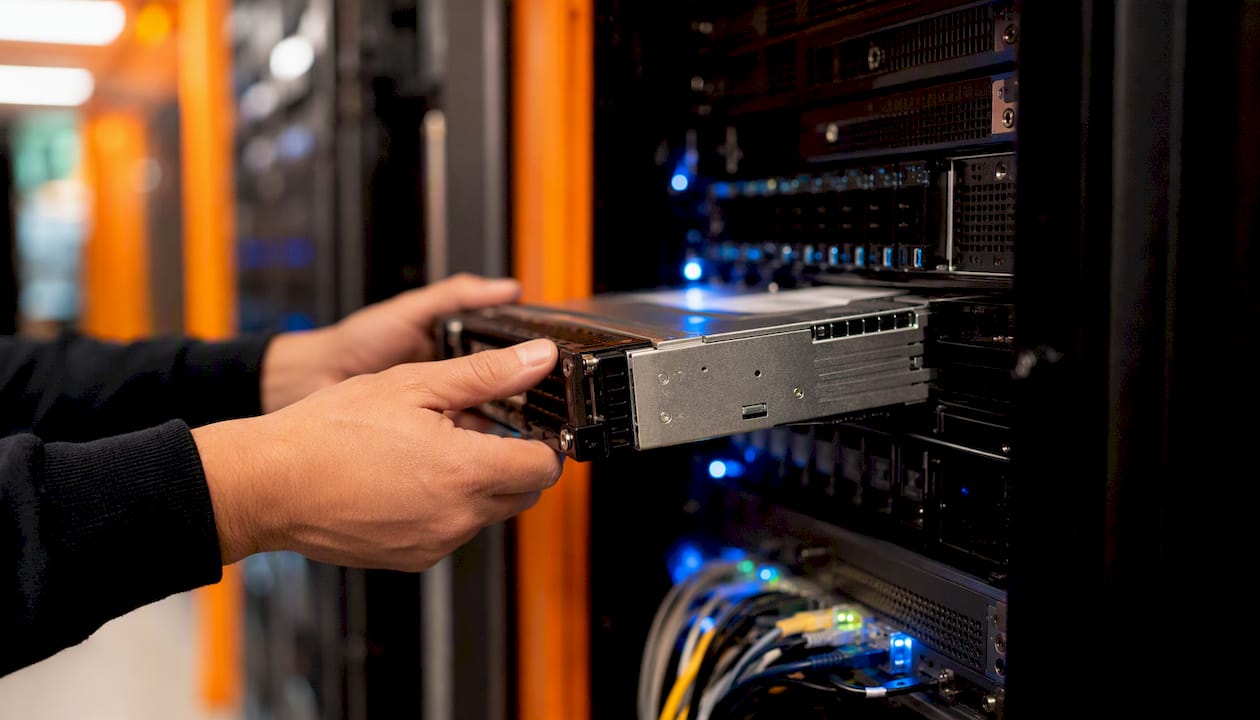
Network administration follows naturally for specialists who develop strong networking fundamentals. Cisco's CCNA is the standard credential for this path. Candidates who pursue the CCST early have a head start.
Cybersecurity is a high-demand destination. Support experience provides direct exposure to endpoint vulnerabilities, phishing attempts, and access control issues. CompTIA Security+ is the standard entry credential; from there, paths branch toward SOC analyst roles, penetration testing, or GRC work. The career path guide on Plucktalent's blog maps how support experience translates into cybersecurity and networking roles specifically.
Cloud operations is increasingly accessible to support specialists who gain exposure to Microsoft 365, Azure Active Directory, or AWS environments. Cloud certifications from Microsoft (AZ-900) or AWS (Cloud Practitioner) serve as entry points.
What signals promotion: Hiring managers consistently look for documentation habits, project ownership, and cross-team collaboration. Coursera's research specifically notes that specialists who document fixes reproducibly and contribute to a shared knowledge base stand out when promotion decisions are made. Navigating ticketing priority and routing logic is an underappreciated skill; specialists who master it get staffed onto infrastructure projects rather than staying in the queue.
How do you build a resume and portfolio for an IT support job?
A help desk resume needs to pass ATS screening before a human reads it. That means matching the language in the job listing, not paraphrasing it.
Resume guidance:
- List certifications prominently, above the work history if you are entry-level
- Use action verbs tied to outcomes: "Resolved 40+ tickets weekly with a 95% same-day close rate" outperforms "Handled tickets"
- Mirror the job listing's terminology for tools and systems (if the listing says "ServiceNow," use that word, not "ticketing software")
- Include a home lab or volunteer IT work under a "Projects" or "Experience" section with the same formatting as paid roles
Common interview questions and what managers want to hear:
- "Walk me through how you troubleshoot a computer that won't connect to the internet." Managers want a structured, step-by-step process, not a single answer. Show methodology.
- "Tell me about a time a user was frustrated. How did you handle it?" De-escalation and communication matter as much as the technical fix.
- "What certifications do you have, and what are you studying next?" Showing a learning trajectory signals long-term value.
Portfolio and project ideas:
- Document a home lab build: OS installation, network configuration, and a simulated ticket resolution
- Write a short troubleshooting guide for a common issue (Wi-Fi drops, printer not found) and publish it on GitHub or a personal site
- Record a short screen-share walkthrough of a diagnostic process
- Tailor your resume to each listing before applying
- Apply to contract and temp postings alongside full-time roles
- Follow up once, five to seven business days after applying
- Prepare three structured troubleshooting stories for behavioral interview questions
- Research the employer's tech stack before the interview
How is AI changing the IT support specialist role?
IBM's analysis of help-desk workflows documents a clear shift: AI-assisted systems now suggest responses, auto-categorize tickets, and handle routine requests without human intervention. This moves repetitive work toward automation and concentrates human effort on complex diagnostics and user communication.
This is not a replacement scenario. AI-assisted ticketing functions as a force multiplier. Specialists who learn to use these tools triage faster and spend more time on the issues that actually require judgment.
Practical actions to stay current:
- Learn the AI-assist features in whichever ticketing platform your employer uses (ServiceNow, Zendesk, and Freshdesk all have AI layers)
- Own knowledge-base contributions actively; AI tools pull from KB articles, so well-written entries increase your visible impact
- Focus skill development on non-routine diagnostics: intermittent failures, multi-system dependencies, and security-adjacent issues that automation cannot resolve
- Track AI tools relevant to tech job seekers to understand how the hiring side is also changing
The specialists who treat AI as a workflow tool rather than a threat are the ones building toward senior and specialized roles.
What do recruiters actually look for in an IT support hire?
Hiring signals in IT support are more specific than most candidates expect. A resume that lists certifications and job titles is table stakes. What separates candidates who move forward is evidence of process.
Recruiters and hiring managers pay attention to:
- Documented troubleshooting. Candidates who can describe a problem, the steps they took, and the outcome in precise terms demonstrate the thinking pattern that makes a good support specialist. Vague answers about "fixing computers" do not.
- Customer-service instinct. This role is customer service with a technical layer. Candidates who show they understand the user's frustration, not just the technical fault, consistently outperform those who lead with credentials.
- Quick learning signals. A candidate who earned CompTIA A+ in two months while working another job shows self-direction. That signal matters more than the cert itself.
- Evidence from non-traditional experience. Volunteer IT work, a home lab, or a documented fix for a family member's network all count. Present them with the same structure as paid work: what the environment was, what the problem was, what you did, and what the result was.
Contract and temp experience deserves the same formatting as full-time roles on a resume. Hiring managers understand the staffing model; they are looking at the work, not the employment type. Recruiter placement data consistently shows that candidates with clear, specific experience descriptions move through screening faster than those with generic summaries.
Plucktalent connects IT support candidates directly with hiring managers
Plucktalent combines 17 years of IT recruiting expertise with Plucky AI, a job search co-pilot built specifically for IT and cybersecurity professionals. For candidates entering or advancing in IT support, the platform cuts through job board noise by connecting profiles directly to hiring managers at companies actively filling these roles.
Three specific advantages for IT support job seekers:
- ATS-ready profiles: Plucky AI tailors resume language to match the exact terminology in target job listings, increasing screening pass rates
- Direct hiring manager access: Candidates reach decision-makers rather than submitting into anonymous applicant pools
- Hidden role discovery: Plucktalent surfaces roles that are not publicly posted, which is where competition is lowest
IT support is a high-turnover field with steady hiring. Getting in front of the right hiring manager at the right time is the variable that most candidates cannot control on their own. Plucktalent is built to close that gap. Visit the Plucktalent job seekers page to see how the platform works for IT candidates.
Sources
- Computer Support Specialists : Occupational Outlook Handbook: : U.S. Bureau of Labor Statistics
- Tech Support Specialist
- IT Support Specialist: Responsibilities, Skills, and How to Get Started | Coursera
- IBM — help desk / AI topic page
- 15-1232.00 - Computer User Support Specialists
FAQ
What is an IT support specialist?
An IT support specialist provides technical assistance for computer systems, hardware, and software, working with end users to diagnose and resolve issues. The role may be internal (supporting company employees) or external (supporting customers), and it covers help desk, desktop support, and field technician functions.
Is it hard to become an IT support specialist?
The path is more accessible than most tech roles. Many positions accept a high school diploma plus CompTIA A+ certification, and candidates with no prior IT experience typically reach an entry-level role within 3–6 months of focused study and certification prep.
What is the salary of an IT support specialist in the U.S.?
The BLS reports median annual wages for computer user support specialists, with entry-level roles typically earning less and experienced specialists with certifications earning more. Geography, employer size, and certifications all affect where a candidate lands within that range.
Does IT support make good money?
Pay is competitive for an entry-level tech role, and it scales meaningfully with certifications and experience. Specialists who advance into network administration, systems administration, or cybersecurity see substantially higher compensation over time.
What certifications matter most for IT support roles?
CompTIA A+ is the most widely required entry-level credential. The Cisco Certified Support Technician (CCST) is a strong complement for networking-adjacent roles. Microsoft and Apple ecosystem certifications add value in environments running those platforms.