
AI-powered job-application tracking is the most direct way for IT and cybersecurity professionals to manage multiple open searches without losing pipeline visibility. Plucktalent's Plucky AI is the recommended starting point: it combines automated Gmail sync, ATS-ready resume tailoring, and direct hiring-manager access in one platform built specifically for tech roles.
Core benefits at a glance:
- Organizes every application into a clear pipeline with stage-by-stage status
- Automates follow-up reminders and generates tailored outreach templates
- Tailors resumes to each job description using AI, with ATS formatting built in
- Connects via Google-approved OAuth so only the data you authorize is read
- Lets you download or delete your data at any time
Sign up for Plucktalent to get started today.
Key Takeaways
AI-powered job-application tracking reduces missed follow-ups, automates pipeline organization, and surfaces better-matched roles for IT and cybersecurity professionals who use it consistently.
| Point | Details |
|---|---|
| Connect Gmail via OAuth | Use read-only OAuth scope; review permissions at myaccount.google.com/permissions. |
| Enable AI resume tailoring | Upload a master resume and run tailoring for each role before submitting. |
| Schedule follow-ups strategically | Target Tuesday morning delivery to align with typical recruiter review cycles. |
| Export data before canceling | Confirm CSV export is available before committing to any paid subscription. |
| Plucktalent for IT/cybersecurity | Plucky AI adds recruiter-vetted hidden roles and hiring-manager contacts on top of standard tracking. |
Table of Contents
- How can you use AI to track applications and what features matter?
- Setting up an AI tracker and building your daily workflow
- How do you choose the right AI tracker for your needs?
- What permissions does an AI tracker need and how do you protect your data?
- Why Plucktalent's Plucky AI fits IT and cybersecurity job seekers
- What recruiters actually notice when candidates use AI trackers
- Plucktalent is built for IT and cybersecurity job seekers
- Sources
- FAQ
How can you use AI to track applications and what features matter?
An AI job-application tracker is purpose-built software that replaces manual spreadsheets with automated data capture, status tracking, and intelligent suggestions. The core feature set covers five areas.
Automatic import and sync. The tracker connects to Gmail via OAuth and pulls application confirmation emails, recruiter replies, and interview invites directly into your pipeline. Browser extensions can capture job postings from LinkedIn, Indeed, or company career pages in one click. Just as GKE's automatic application monitoring deploys out-of-the-box dashboards to reduce setup friction, a well-designed tracker auto-imports applications so you spend zero time on manual data entry.
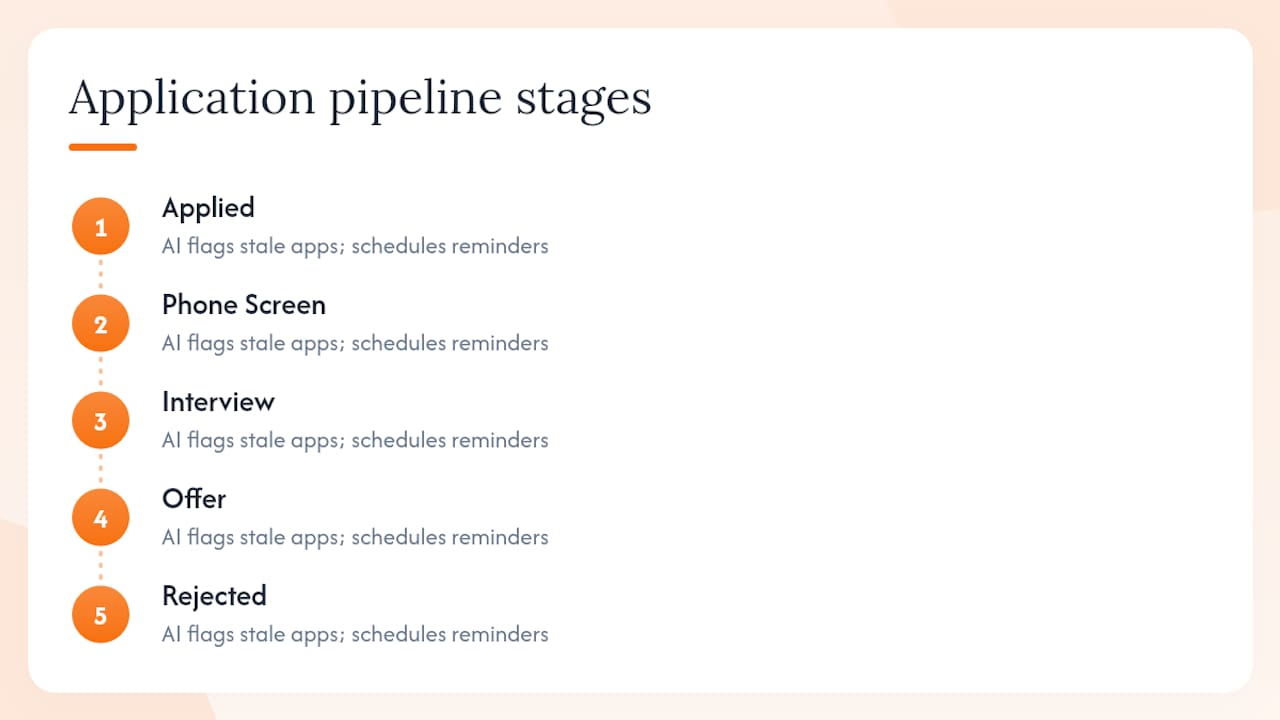
Pipeline stages and reminders. Each application moves through defined stages: Applied, Phone Screen, Interview, Offer, Rejected. The AI flags stale applications and schedules follow-up reminders based on typical recruiter response windows.
AI resume and application tailoring. The platform reads a job description, compares it to your master resume, and suggests edits that align your experience with the role's requirements. This is where AI feedback loops surface hiring signals and improve how your profile matches active openings over time.
Job-insight suggestions. Machine learning for application tracking means the tool learns which roles you engage with and surfaces similar openings, including non-public positions.
On pricing, most platforms offer a free tier with limited imports or pipeline slots, and paid tiers that unlock full automation, AI tailoring, and recruiter-network access. Paid plans for serious job seekers typically run monthly or annually.
Pro Tip: Before committing to a paid plan, confirm the free tier lets you test Gmail sync and at least one AI resume suggestion. That combination tells you whether the tool's core automation actually works for your workflow.
Setting up an AI tracker and building your daily workflow
Getting an AI tracker running takes less than 30 minutes. Follow these steps in order.
- Create your account. Sign up with your professional email. Use the same address you apply with so confirmation emails route correctly.
- Connect Gmail via OAuth. Authorize read-only Gmail access through Google's OAuth flow. The tracker scans your inbox for application-related emails. No password is shared; only the OAuth token is stored.
- Install the browser extension. Add the extension to Chrome or Edge. It captures job postings from any career page and adds them to your pipeline with one click.
- Import historical applications. Most platforms let you bulk-import past applications from a CSV or by scanning a date range in Gmail. Set the lookback window to 60–90 days.
- Define pipeline stages and notifications. Customize stage names to match your process. Set reminder intervals: for example, follow up five business days after applying if no reply has arrived.
- Enable AI resume tailoring. Upload your master resume. For each new application, run the AI tailoring feature to generate a role-specific version before submitting.
- Set up follow-up templates. Write two or three base templates (initial follow-up, post-interview thank-you, status check). The AI personalizes them per role.
For daily use, spend 10–15 minutes each morning: review new matches the AI surfaced overnight, check which applications need a follow-up today, and log any interview outcomes from the previous day. Weekly, review your pipeline for stale applications older than two weeks and either follow up or archive them.
How do you choose the right AI tracker for your needs?
The right tool depends on four factors: application volume, automation level, privacy requirements, and budget.
| Category | Ease of setup | Automation depth | Price shape | Best fit |
|---|---|---|---|---|
| Entry-level tracker | High | Manual tagging, basic reminders | Free or low-cost monthly | Low volume, first job search |
| Power-user platform | Medium | Auto-import, AI tailoring, analytics | Mid-range monthly or annual | Active search, multiple applications |
| Recruiter-backed marketplace | Low initial effort | Full pipeline, hidden roles, direct hiring-manager access | Subscription with recruiter layer | IT/cybersecurity pros targeting specific roles |
Questions to ask before choosing:
- Does the trial include Gmail sync and AI tailoring, or are those locked behind a paywall?
- What is the data deletion policy? Can you export your full pipeline before canceling?
- What OAuth scopes does the tool request? Read-only is standard; full send access is a red flag unless the tool explicitly needs to send on your behalf.
- Does the platform surface non-public roles, or only aggregate public job boards?
Red flags: no OAuth (password-based Gmail access), vague privacy policy with no deletion clause, no CSV or JSON export, and no clear statement about third-party data sharing.
What permissions does an AI tracker need and how do you protect your data?
Gmail-connected trackers use Google OAuth 2.0. The standard scope is gmail.readonly, which lets the tool read email content but not send, delete, or modify messages. Some platforms request broader scopes to send follow-up emails on your behalf; that is a legitimate use case, but you should confirm it before authorizing.
Practical safeguards:
- Review the exact OAuth scopes at the authorization screen before clicking "Allow." Google lists them in plain language.
- Enable two-factor authentication on both your Google account and the tracker platform.
- Revoke and reauthorize the OAuth token every 90 days. Go to myaccount.google.com/permissions to manage connected apps.
- Export your full pipeline data before canceling a subscription. Most platforms support CSV export; confirm this before you pay.
- Read the privacy policy for three specific terms: "data deletion," "third-party sharing," and "encryption in transit." If any are absent, treat that as a gap.
The same principle that makes Datadog APM's distributed tracing useful for engineering teams applies here: correlating multiple data signals (emails, calendar events, application status) in one auditable place reduces blind spots. A trustworthy tracker makes that correlation visible and reversible.
Pro Tip: After connecting Gmail, immediately check which label or filter the tracker applies to matched emails. If it creates a label, you can see exactly what it read and remove access cleanly if needed.
Why Plucktalent's Plucky AI fits IT and cybersecurity job seekers
Plucktalent brings 17 years of IT and cybersecurity recruiting experience to its AI platform. That recruiting depth shapes how Plucky AI is built: it is not a generic job board aggregator but a tool calibrated to the hiring patterns of tech roles.
Three product benefits that matter for this audience:
- ATS-ready resume tailoring. Plucky AI reads each job description and reformats your resume to pass applicant tracking systems used by enterprise IT employers, including keyword alignment and section ordering.
- Direct hiring-manager access. The platform surfaces hiring manager contact information so candidates can reach decision-makers directly, bypassing generic recruiter queues.
- Recruiter-vetted hidden roles. Plucky AI surfaces non-public openings sourced through Plucktalent's recruiter network, roles that never appear on public job boards.
A typical IT candidate using Plucky AI connects Gmail on day one, imports their existing applications, and receives tailored resume suggestions for each active role within the first session. The pipeline view shows exactly where each application stands, and the AI flags which roles have active hiring signals based on the AI feedback loop that improves match quality over time.
Pro Tip: If you hold certifications like CISSP, CEH, or AWS Solutions Architect, add them to your master resume profile in Plucky AI. The tailoring engine will surface them in every role-specific version without you having to remember to include them manually.
What recruiters actually notice when candidates use AI trackers
Follow-up timing matters more than most candidates realize. Recruiters at mid-size IT firms typically review application queues on Tuesday and Wednesday mornings. Scheduling follow-up emails to arrive Monday evening or Tuesday morning places your name at the top of that review cycle.
On auto-apply versus tailored apply: auto-apply is appropriate for roles where your profile is a near-exact match (same title, same stack, same seniority). For roles where you are stretching into a new area (cloud security to DevSecOps, for example), a tailored application with a specific cover note outperforms a bulk submission. Use your tracker's analytics to see which approach generates more responses for your profile.
For IT and cybersecurity candidates, two formatting details improve ATS parse rates: list certifications in a dedicated "Certifications" section rather than embedding them in job descriptions, and include your GitHub or portfolio URL as a plain-text link, not a hyperlinked word. Many ATS systems do not render hyperlinks and will drop the URL entirely.
AI-generated follow-up messages occasionally over-personalize, referencing details from a job description that do not match the actual role. Always read the AI draft before sending. LogicMonitor's approach of correlating multiple signals to reduce noise applies directly: the AI surfaces the most relevant follow-up, but a human review catches the edge cases.
Plucktalent is built for IT and cybersecurity job seekers
IT and cybersecurity professionals managing multiple active searches need more than a spreadsheet. Plucktalent's Plucky AI platform combines automated Gmail sync, ATS-ready resume tailoring, and direct access to hiring managers and non-public roles, all backed by 17 years of recruiting expertise in the tech sector.
Privacy controls are built in: Google-approved OAuth, read-only Gmail access by default, and full data export or deletion on request. Visit the Plucktalent job-seekers page to review subscription options and start a trial.
Sources
- Application Performance Monitoring - LogicMonitor
FAQ
What does an AI job-application tracker actually do?
It automatically imports applications from Gmail and browser activity, organizes them into pipeline stages, sends follow-up reminders, and uses AI to tailor resumes and surface relevant job matches.
Is connecting Gmail to a tracker safe?
Yes, when the tool uses Google-approved OAuth with a read-only scope. You can review and revoke access at any time through myaccount.google.com/permissions.
How is Plucktalent different from a standard job tracker?
Plucktalent adds 17 years of IT and cybersecurity recruiting expertise, recruiter-vetted hidden roles, and direct hiring-manager contact information on top of standard pipeline tracking and AI resume tailoring.
Can AI trackers help with ATS optimization?
Yes. AI tailoring features compare your resume to a job description and suggest keyword and formatting changes that improve ATS parse rates before you submit.
How much do AI job-application trackers cost?
Most platforms offer a free tier with limited features and paid plans that unlock full automation and AI tailoring. Pricing varies by platform; confirm what the free trial includes before upgrading.